Top positive review
1 people found this helpful
Works to make my rear camera receive signal
By E.M. on Reviewed in the United States on February 16, 2018
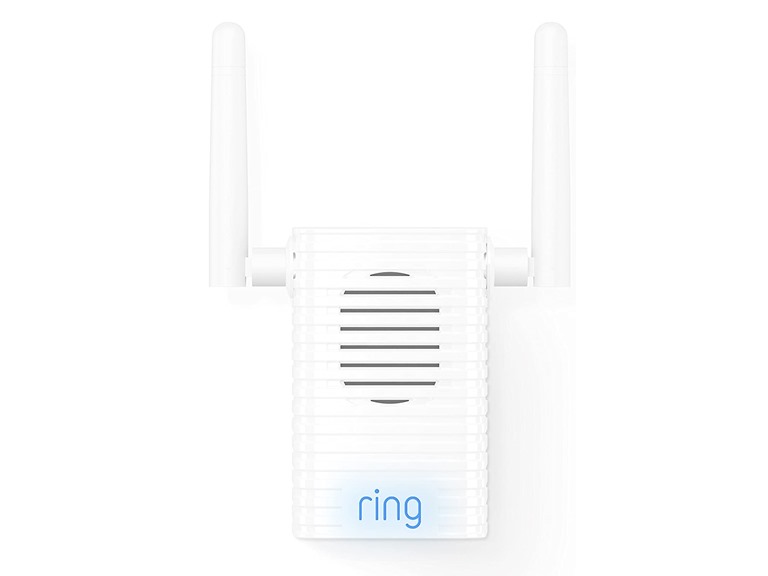
UPDATED REVIEW: Ok, so I am a person who can admit when I’m wrong. I was wrong about this product. I’ve had it plugged in in my kitchen for a while now & it works well! My home is long and narrow. My front door has the doorbell cam, my modem/router is in the front room and about 4’ from the doorbell, so it always worked fine. The back door is the one that was smashed in the attempted-burglary that is the reason I got this system so of course I had to put a camera on that door. The exterior mounted security cam w/motion light is over the back door. The first few months it worked great... then out of nowhere, no change in service or location of modem/router, it quit receiving signal. So, I got this product and put it in my kitchen, which is in the back third of the house, best mid point between rear cam & modem. It has done the job and the rear cam has worked well using this thing. It has the option to play sounds when doorbell rings, but, the location of the doorbell’s chime is in the kitchen right above where this is plugged in, so the doorbell sound, the sound the phone makes AND this thing making a sound was just too much, so it’s silenced. I recommend it if your cam is too far from your modem. ORIGINAL REVIEW:I plugged in chime pro & set it up on my phone- very easy. Once set-up was complete, I attempted to connect it to my outdoor wired ring security camera. The entire reason for this purchase is: my ring cam is above my back door, which is obviously at the rear of my property. My modem/router is located in the front room, right inside of the wall at the very front of the property (this is the only option due to location of coaxial cable line). The back cam goes on & off line frequently. I got this system after an attempted break in where the window in my back door was smashed in. I have a doorbell cam also, but because there’s an alley behind my home thru which the back door can be approached, completely avoiding the strong wifi signal doorbell cam, the back cam is the valuable one! So, back ti chime pro, plug in set up, great. Attempt to link to back cam 1: from inside the kitchen, midway between modem & back cam: no go, cam can’t connect. Move chime pro to far kichen wall, attempt #2: no go. Attempt 3, chime pro in laundry room where back door is located: no go. Attempt 4, with extension cord, holding chime pro in the window of the back door, pointed at back cam, probably 16” from the cam, NO GO!!! It wouldn’t pick up the camera when it was within 2 feet of it, so, this is going back. I am VERY disappointed.
Top critical review
731 people found this helpful
Works okay. But no 5Ghz band. See my speed results and how I fixed the issue!
By Danielle on Reviewed in the United States on January 7, 2018
Our ring pro doorbell gets 20Mbps down and 10Mbps up speeds on the 2.4Ghz band of our home router. That's not bad. But it's not great either. That speed causes enough lag that the app opens slowly and there's about a 4 or 5 second delay between the video feed and what's realtime. We have a powerful dual band router but it's a ways away. Our speeds near the router are 80down and 10up for the 2.4Ghz band and 150down and 10up for the 5Ghz band. Outside where the doorbell is, the 5G connection was very poor getting only 4Mbps down and 1Mbps up. So I connected the Ring Chime Pro and it worked but it really didn't help much at all. Maybe bringing the speeds up to 25-30Mbps down. I tried several outlets in various places between the router and the doorbell, mostly with the same results. I didn't realize it doesn't work with the 5Ghz band. It doesn't even search for that network connection. That was a big bummer. So while it works, and as you'll read in other reviews, it's a great solution for some people, it wasn't right for me. So what did I do? Well we also purchased the Coredy AC1200 dual band wifi extender for only a few bucks more than this Ring Chime Pro. We found the optimal place to put it in between the router and the doorbell where it still got a pretty solid signal from the router and good speeds, and most importantly I could take advantage of the 5G band. It may not go through as many walls as the 2.4Ghz band, but within a certain distance it's much faster. I instantly was getting 110Mbps down and 10Mbps up speeds off this extender. So I then connected the Ring Doorbell Pro to this new 5G network coming off the extender and now outside with the door shut the doorbell gets a solid 5G connection and it's 80Mbps down and 10Mbps up! That's 4 times the download speed as the router only. I'll take that! The result...I instantly noticed that the live view popped up much quicker. And the delay was maybe one second max. That's 4 times better than what it was before. It's much more fluid now and while this is just day one with the device, I'm happy with how things are now. Hope this helps others!
Sort by:
Filter by:
By -
Verified Amazon Purchase
Vine Customer Review of Free Product
Sorry, no reviews match your current selections.
Try clearing or changing some filters.Show all reviews
Show more reviews